🧾
Paper Receipts
Receipts from stores, restaurants, gas stations, travel and business purchases.
Stop searching through drawers, email inboxes, photo galleries and random folders for the receipt you need.
DocketPocket AI helps you organize receipts digitally, connect them with expense information and find what you need when you need it.
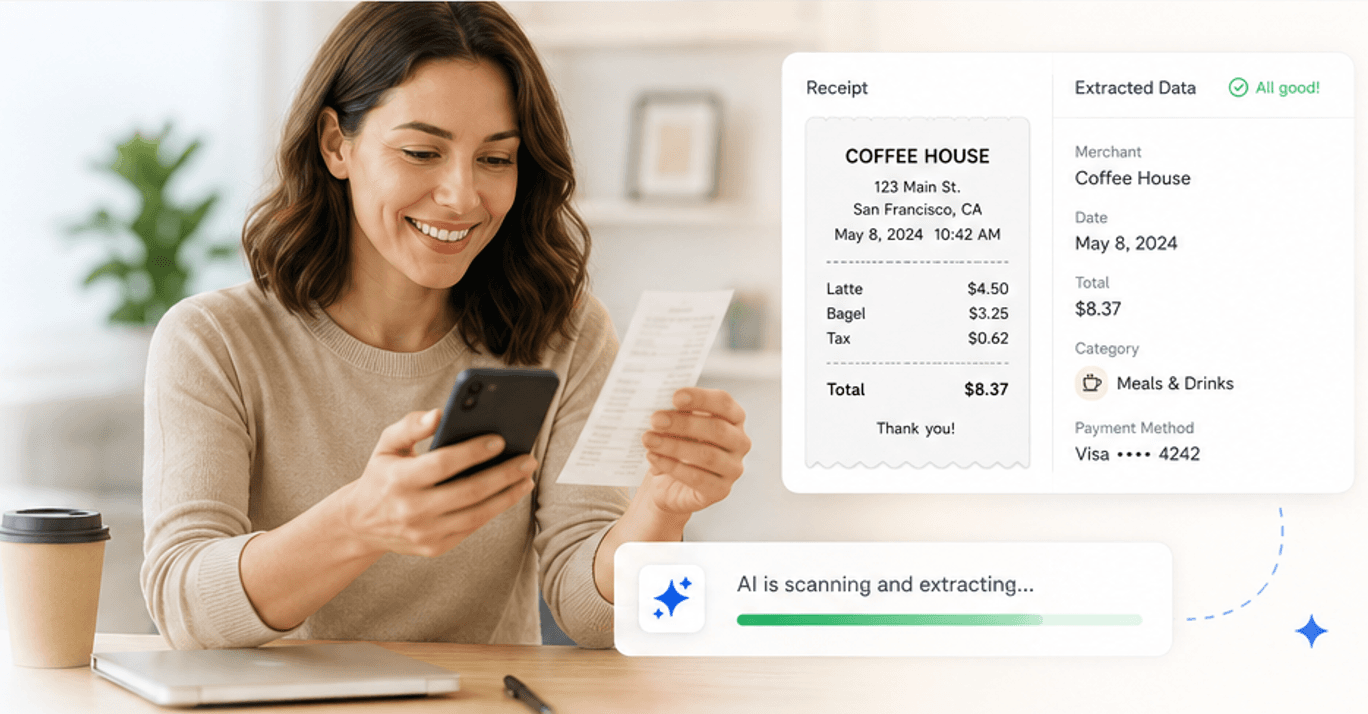
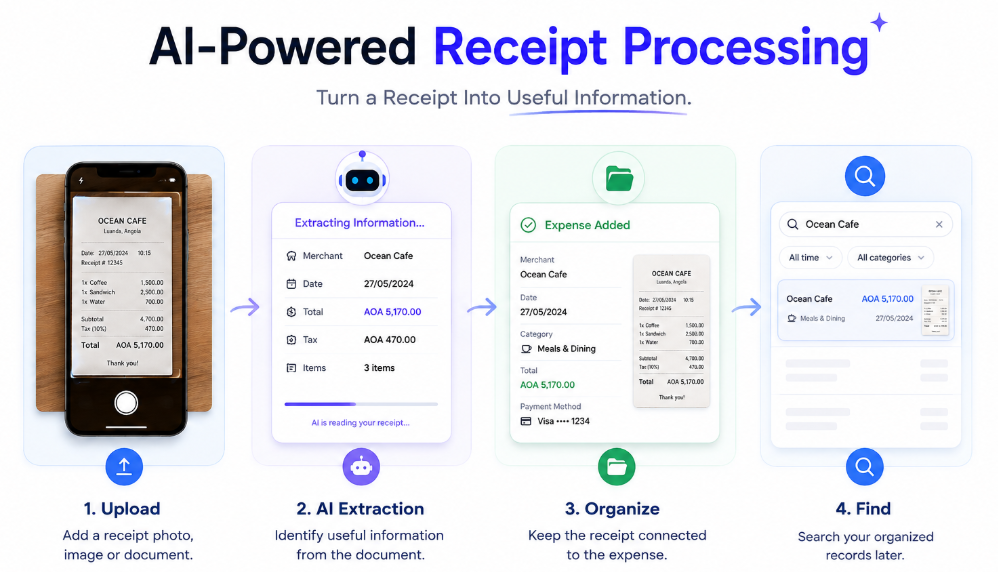
Instead of manually typing information from every receipt, DocketPocket AI can extract useful expense information from uploaded documents.
Add a receipt photo, image or document.
Identify useful information from the document.
Keep the receipt connected to the expense.
Search your organized records later.
Most people already save receipts. The problem is that those receipts end up everywhere.
Receipt photos disappear between hundreds of other pictures.
Digital receipts get buried under newsletters and messages.
Files are saved but become difficult to locate later.
Expense details become separated from the original receipt.
Bring different types of receipts and expense documents into one digital receipt management workflow.
Receipts from stores, restaurants, gas stations, travel and business purchases.
Receipts and purchase confirmations already sitting in your email inbox.
Receipt photos captured while you're on the go.
Invoices, receipts and supporting expense documents stored as files.
A digital receipt organizer should make the entire journey simpler — not create another system you have to maintain.
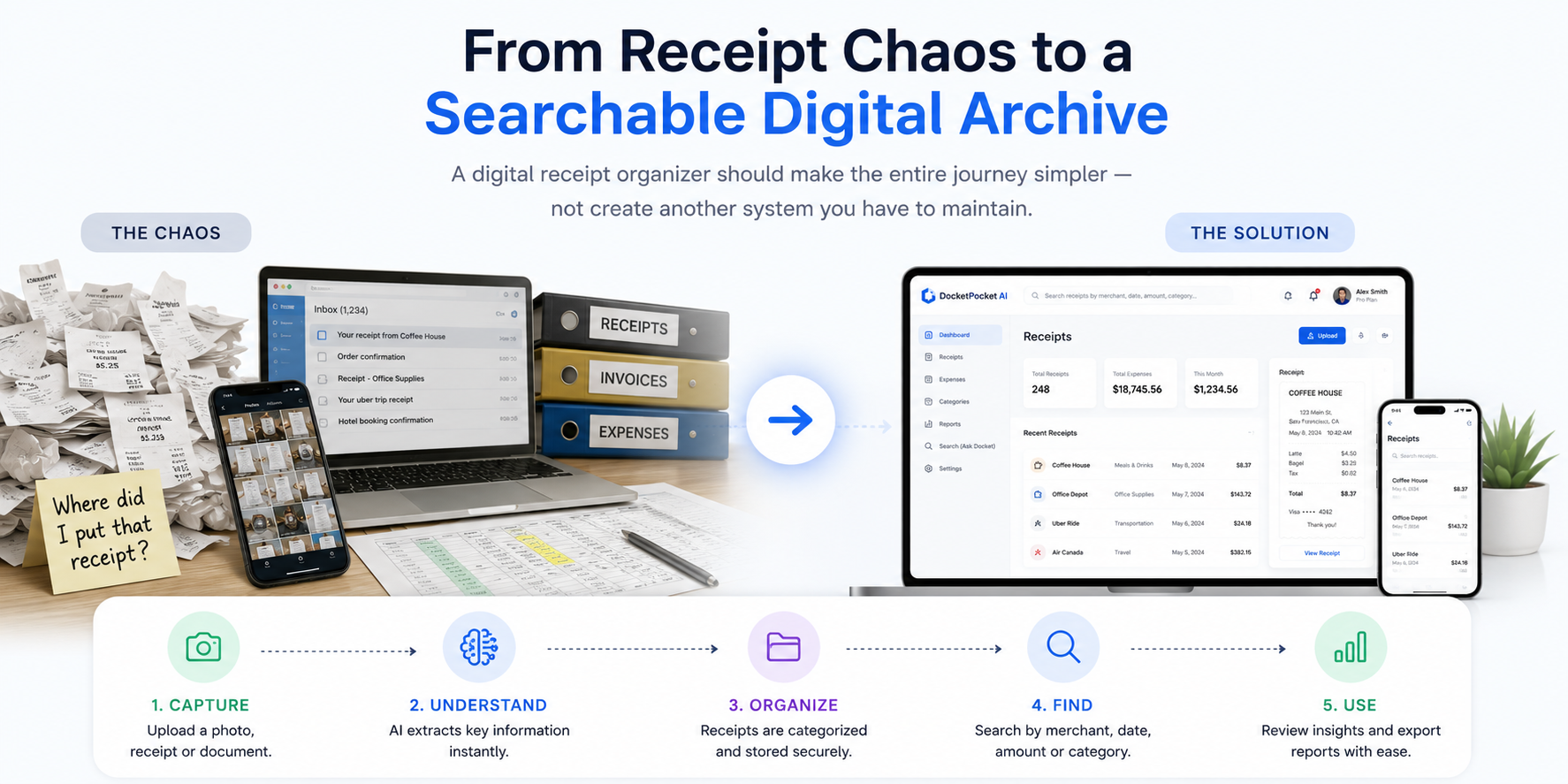
Upload a photo, receipt or document.
AI identifies useful receipt information.
Keep the document connected to its expense.
Search by information you remember.
Review your expense information when needed.
Traditional folders force you to remember where you saved something. A searchable digital receipt organizer lets you search using the information you actually remember.
Receipts don't arrive neatly labeled and filed. They arrive while you're living your life and running your business.

You finish a client meeting, photograph the restaurant receipt and tell yourself you'll organize it later.
Upload it once. Keep the receipt and expense information together so you can find it when you need it.

Receipts are scattered between a drawer, email inbox, shared folders and employee phones.
Bring receipts into one digital workspace and keep expense information connected to the original document.

Hotel, parking, meals and transportation receipts are spread across photos, emails and paper.
Create a searchable digital trail of travel expenses that is easier to review later.
Digital receipt management isn't just about replacing paper. It's about creating a better relationship between your receipt, your expense and the information you need later.
Start OrganizingKeep receipts and associated expense information together instead of spreading them across folders, spreadsheets and photo galleries.
Use AI-powered extraction and structured expense information to reduce repetitive receipt data entry.
Find receipts using information you actually remember, such as merchant, date, amount or category.
Connect the original receipt document with the expense information so the record has more context.
Make it easier to review expenses, prepare records and locate supporting documentation later.
Whether you're a freelancer, consultant or small business owner, receipts can enter your workflow from different places.
A well-organized receipt archive gives you a clearer picture of where your expenses came from and when they happened.
A digital receipt organizer should do more than store images. It should make receipts easier to organize, understand, retrieve and connect to the expenses they support.
Traditional receipt organization often means keeping paper receipts in folders, saving images in a phone gallery or putting digital receipts into an email folder. These methods can work temporarily, but finding a specific receipt later can become difficult as the number of purchases increases.
A digital receipt management workflow creates a centralized place where receipt documents and structured expense information can stay connected. This can be especially useful for freelancers, consultants and small businesses that need to keep track of business purchases.
DocketPocket AI combines digital receipt storage, AI document extraction, expense organization and natural-language search in one platform.
Instead of asking yourself which folder contains a particular receipt, you can work with structured information such as the merchant, transaction date, amount, tax and category. That makes your receipts more useful as part of an overall expense receipt management workflow.
For a small business, a business receipt organizer can help reduce the administrative effort involved in keeping purchase records organized. For freelancers, a receipt organizer for freelancers can provide a simple way to keep business purchases together throughout the year.
The goal isn't simply to create another digital folder. The goal is to create a searchable, organized record that helps you move from receipt → information → expense → insight.
A digital receipt organizer is a software system that helps you store, organize, search and manage receipts electronically. Instead of keeping receipts in paper folders, email inboxes or photo galleries, a digital receipt organizer brings receipt documents and useful expense information into one centralized workspace.
A digital receipt organizer typically lets you upload receipt images or documents, extract useful information, organize the records and search them later. DocketPocket AI combines digital receipt storage with AI-powered document extraction and expense organization.
Yes. You can photograph or scan paper receipts and upload the resulting image or document. DocketPocket AI can then process the document as part of your digital receipt organization workflow.
Yes. A cloud-based digital receipt organizer allows receipts and expense information to be managed through an online application rather than relying on physical folders or scattered files.
Digital receipt organization can be useful for freelancers, consultants, small business owners, startups and anyone who regularly needs to track purchases and retain supporting expense documents.
Yes. DocketPocket AI is designed to help users organize business receipts alongside associated expense information. It can help reduce manual organization and make expense records easier to find.
DocketPocket AI provides structured expense information and Ask Docket natural-language search, helping you find and understand expense information without manually browsing through every receipt.
No. A receipt scanner primarily focuses on capturing or reading a receipt. A digital receipt organizer goes further by helping store, organize, retrieve and manage receipt records. DocketPocket AI combines receipt processing with digital organization and expense management.
Organize receipts digitally, connect them with expense information and make your records easier to find with DocketPocket AI.